Project case studies
How I built software that solves real business problems
Web systems
Repair shop management system
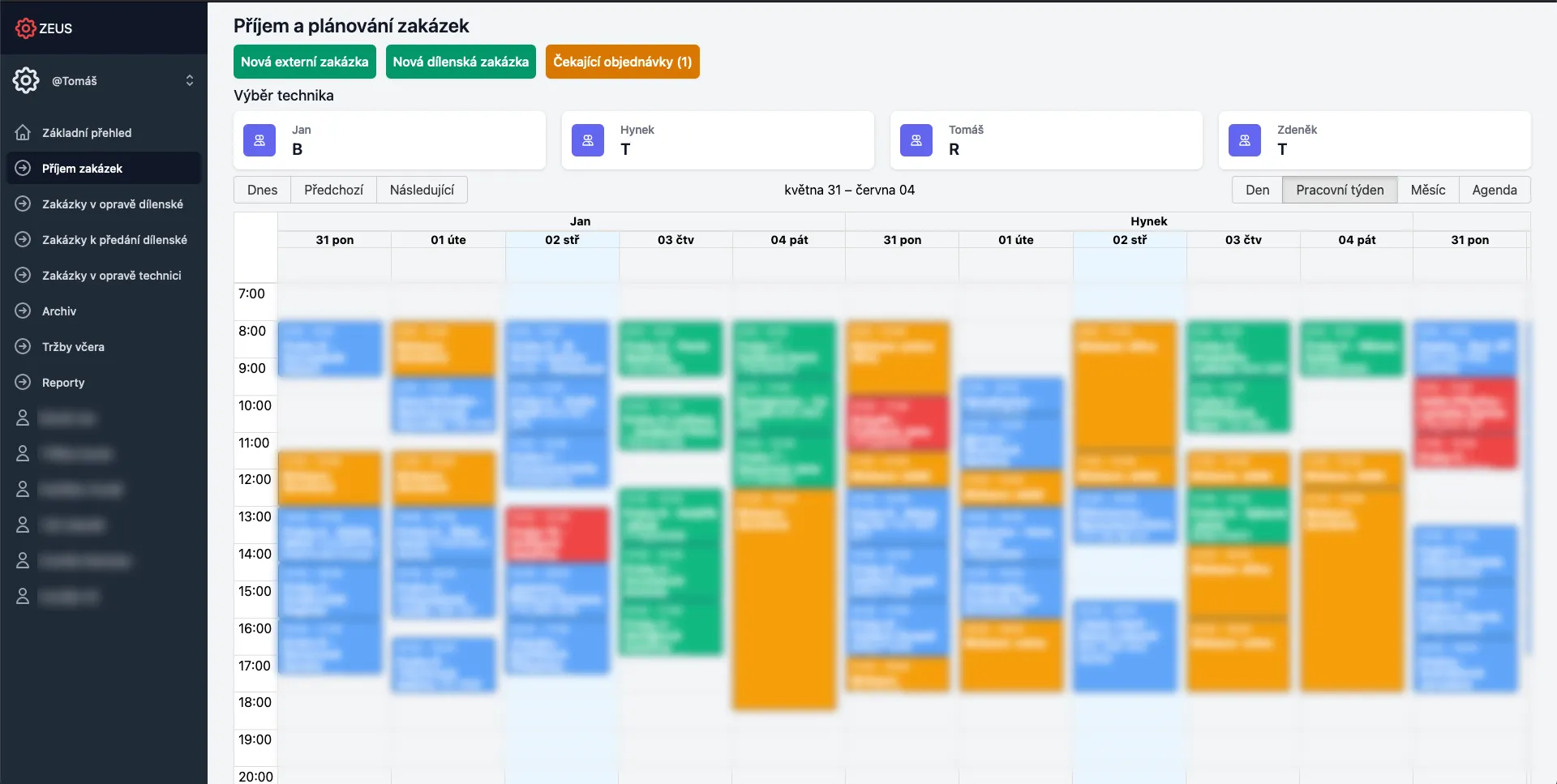
Technician schedules that are easy to manage and just as easy to change.
I built a repair management system that makes technician scheduling and rescheduling straightforward. Plans change throughout the day, so adjusting the work needs to be as easy as planning it in the first place.
Challenge: Repair shops needed to track repairs from intake to completion while coordinating technicians, appointments, and vacations. The schedule changes frequently, so the system had to make rescheduling easy while keeping the team informed about daily operations.
Solution: The system brings repair records, technician schedules, customers, and prices together. Staff can organise the work and reschedule appointments when plans change. A Rust GraphQL API and Astro/React interface also support customer notifications, online repair requests, reporting, and role-based access.
Results: Staff can manage technician schedules and reschedule repairs as the day changes. Repair status, customer updates, vacation planning, and online requests stay within the same system, so the team can keep track of the work as plans evolve.
Typagenda: travel agency management
Attach a ticket and let AI fill the form, instead of copying its details from text or PDFs.
I designed, built, and continue to manage the agency's platform for reservations, invoicing, and client operations. Its AI-assisted form filling lets the team attach a ticket and have its details entered automatically.
Challenge: Entering ticket details meant copying information from text or PDFs into forms. That repetitive work sat alongside complex reservations combining flights, hotels, transfers, and insurance. The system also needed several billing scenarios, Amadeus flight booking, Abra accounting, and reliable client records.
Solution: I added AI-assisted form filling that reads attached tickets and populates the form with their details. The wider platform connects reservations, services, invoices, clients, and contacts. It uses Symfony and Doctrine for business data, Sonata Admin for administration, and React for the interface, with integrations for Amadeus, Abra, and CSAS banking services.
Results: The team can attach a ticket and have the form filled automatically, replacing the manual copying of ticket details. The same platform handles invoicing, accounting synchronisation, commissions, and related reservations, bringing work that previously relied on Excel into one system.
Desktop applications
Warive: Offline note-taking app
A private desktop notes app that keeps your Markdown files local, portable, and under your control.
A desktop note-taking app that stores your notes as local Markdown files. It needs no cloud sync and uses no proprietary file format. Your files remain yours.
Challenge: Many note-taking apps either store data in proprietary formats or require a cloud subscription. Users need a fast, reliable desktop app that works with local Markdown files. The app must provide rich editing and workspace management without locking users into one vendor.
Solution: Warive uses Tauri with a Rust backend and an Astro frontend built with React. Its Lexical editor uses plugins for cursor position, search, pasted and dropped images, links, keyboard shortcuts, and code highlighting. A hierarchical file tree, pinned and reorderable tabs, and Nucleo fuzzy search help users navigate their notes. SQLite stores both workspace and global settings, while Jotai manages interface state. After-save hooks run custom scripts, and keyboard shortcuts cover common actions such as saving and searching.
Results: Warive is a production-ready offline notes app. It works with local files, and users keep full ownership of their Markdown notes. The app supports context menu actions for files and folders, binary image files through paste and drag-and-drop, and full workspace management. Its shadcn/ui interface uses Tailwind CSS, and the app runs natively on Windows, macOS, and Linux.
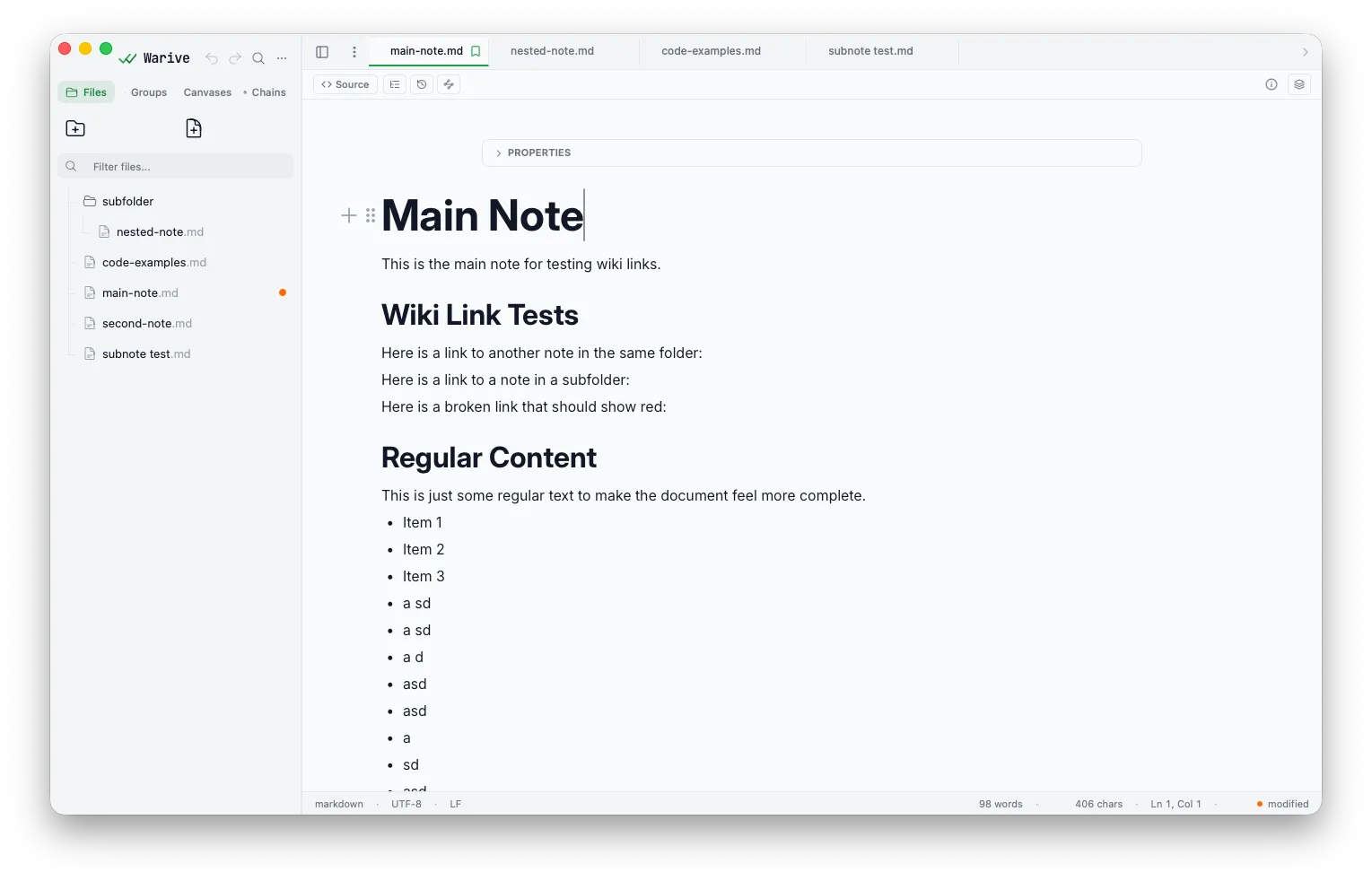
Image Browser: AI metadata manager
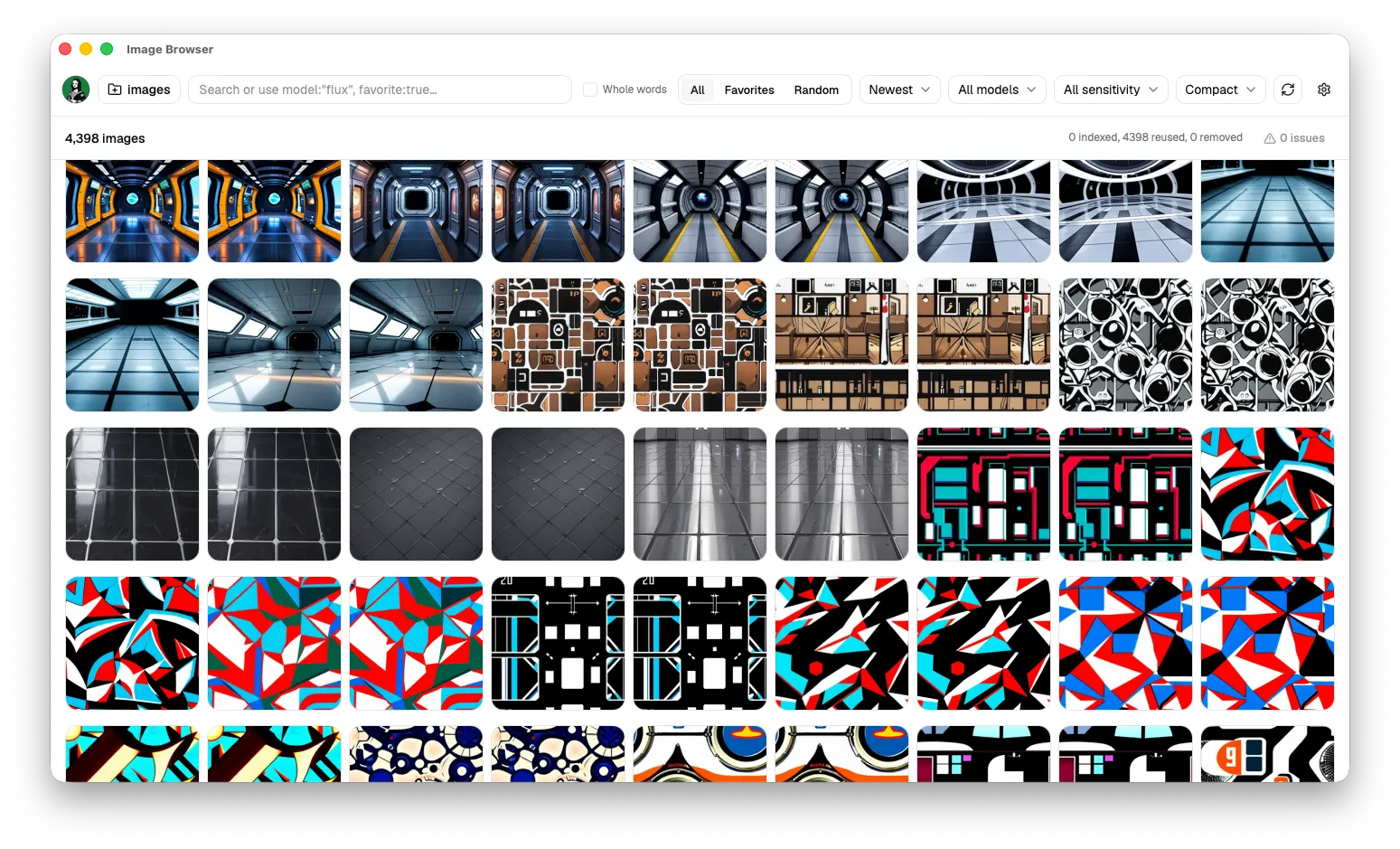
A desktop browser that lets you search large AI image libraries by prompt and generation metadata.
A desktop app for browsing and organizing AI-generated images. It extracts generation parameters and searches prompts, models, seeds, and other metadata.
Challenge: AI artists generate thousands of images and need the original prompt, negative prompt, model, seed, step count, and CFG scale to reproduce a result. Standard image browsers neither extract nor search this metadata. Users also need fast browsing, favorites and NSFW labels that survive file moves, and search across both filenames and embedded metadata.
Solution: The Tauri app uses native commands on the desktop and an HTTP fallback for web deployment. A Rust backend extracts InvokeAI metadata, and an Astro frontend with React components displays it. SQLite and Diesel store the library, while file hashes keep favorites and NSFW labels attached when files move. Jotai manages interface state, and a file watcher detects directory changes in real time. The app also has a thumbnail grid, a full-size viewer, previous and next navigation, trash and delete operations, and keyboard shortcuts for refresh, folder selection, and search.
Results: The app covers the full workflow for managing AI-generated image collections. Users can search their image library by prompt, model, and extracted generation parameters. Hash-based tracking preserves favorites and content ratings when files move or change names. The same API supports both a standalone desktop app and a web service without changing how the features work.
What could be easier in your business?
Tell me about the manual work, changing plans, or disconnected tools your team deals with.